
Pravila foruma: Klikni tukaj za prikaz pravil na forumu
- Naslov teme mora vsebovati: proizvajalca naprave, poln model in kratek opis okvare.
- Sporočilo teme mora vsebovati: oznako tiskanega vezja (v primeru popravil strojne opreme), razširjen opis okvare, kaj je bilo preverjeno, zamenjano in/ali izmerjeno, sklep in vprašanje. Če ne morete najti oznake tiskanega vezja, morate prebrati TO TEMO. Če še vedno ne najdete oznake, prosim objavite kakovostne fotografije obeh strani matične plošče - potrebno je odstraniti vse folije in module, ki bi lahko zakrivali te oznake.
- Pred objavo nove teme, preberite vse teme v podforumu USPOSABLJANJA, in naredite predhodno diagnostiko na podlagi vsebine teh usposabljanj.
- Nalaganje celotnih navodil/shem, BIOS / firmware datotek, ali objavljanje povezav, ki vodijo do drugih spletnih strani s takšnimi datotekami, je SROGO PREPOVEDANO. Lahko objavite le majhen del navodil/shem, ali povezavo na BIOS datoteko v podforumu NEVERIFICIRANE DATOTEKE BIOS/EFI. V eni temi ne smete objaviti več kot eno stran navodil/shem. Datoteka ne sme vsebovati vidnih žigov "zaupno",, e-poštnih naslovov ipd.
- V eni temi lahko opišete SAMO eno napravo. Za vsako drugo okvarjeno napravo morate odpreti novo temo.
- Zahteve za sheme, boardview, fotografije matičnih plošč, datoteke BIOS-a ali servisne priročnike za storitve NISO DOVOLJENE. Če želite vprašati za katero koli od teh, odprite novo temo v podforumu ZAHTEVA ZA DOKUMENTACIJO & DATOTEKO BIOS/EFI.
Ta tema je označena kot ARHIVSKA. Odgovorite samo, če vaše sporočilo vsebuje rešitev (Pravila in Pogoji, 12.1).


Re: Re: Dell XPS 13 9370 CAZ60 LA-E671P zalany, brak ładowania
Napisal/-a Google Adsense [BOT] • 15 December 2023, 14:06



#107 Re: Dell XPS 13 9370 CAZ60 LA-E671P zalany, brak ładowania
Napisal/-a matic • 30 December 2023, 17:46
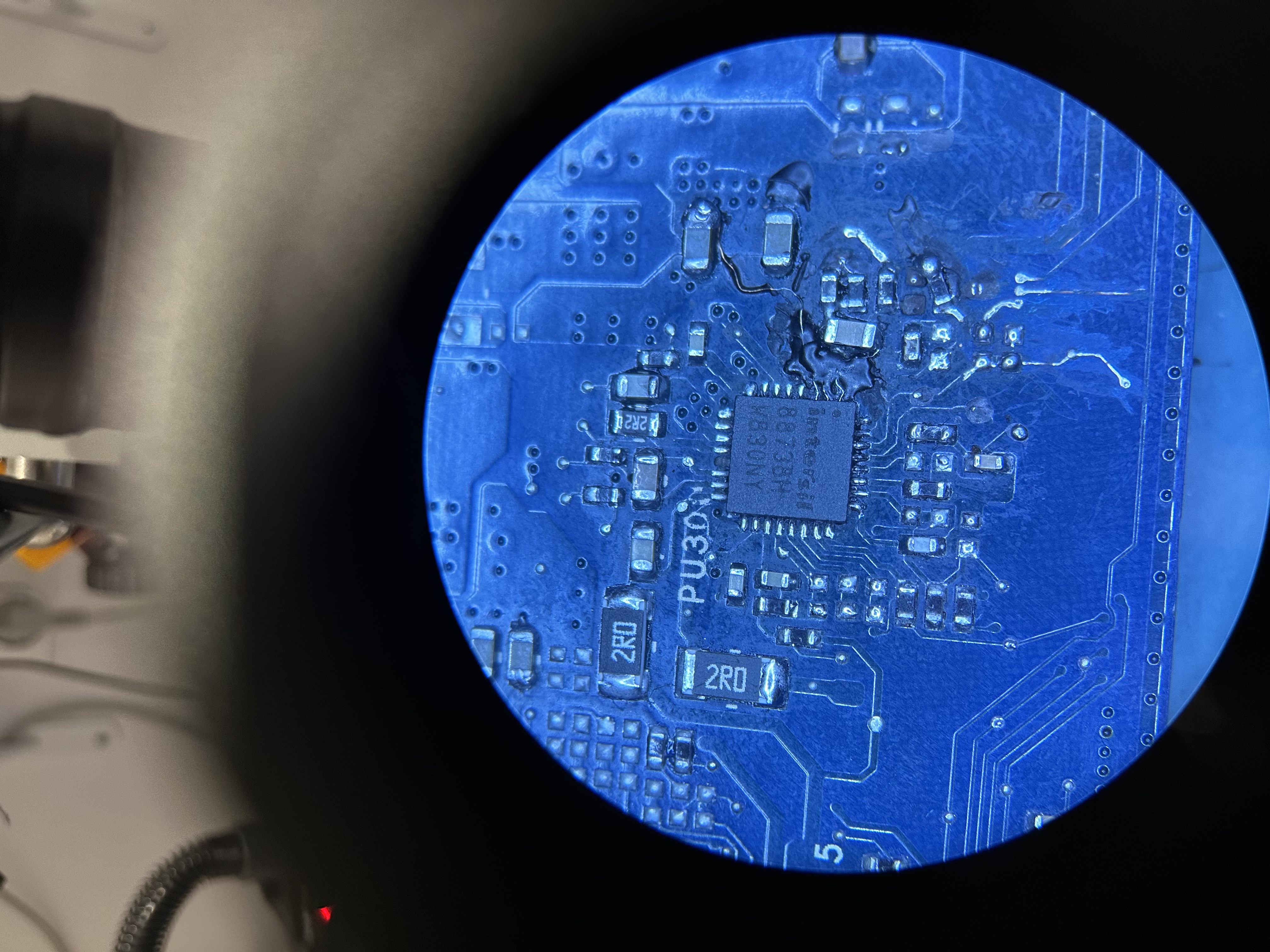
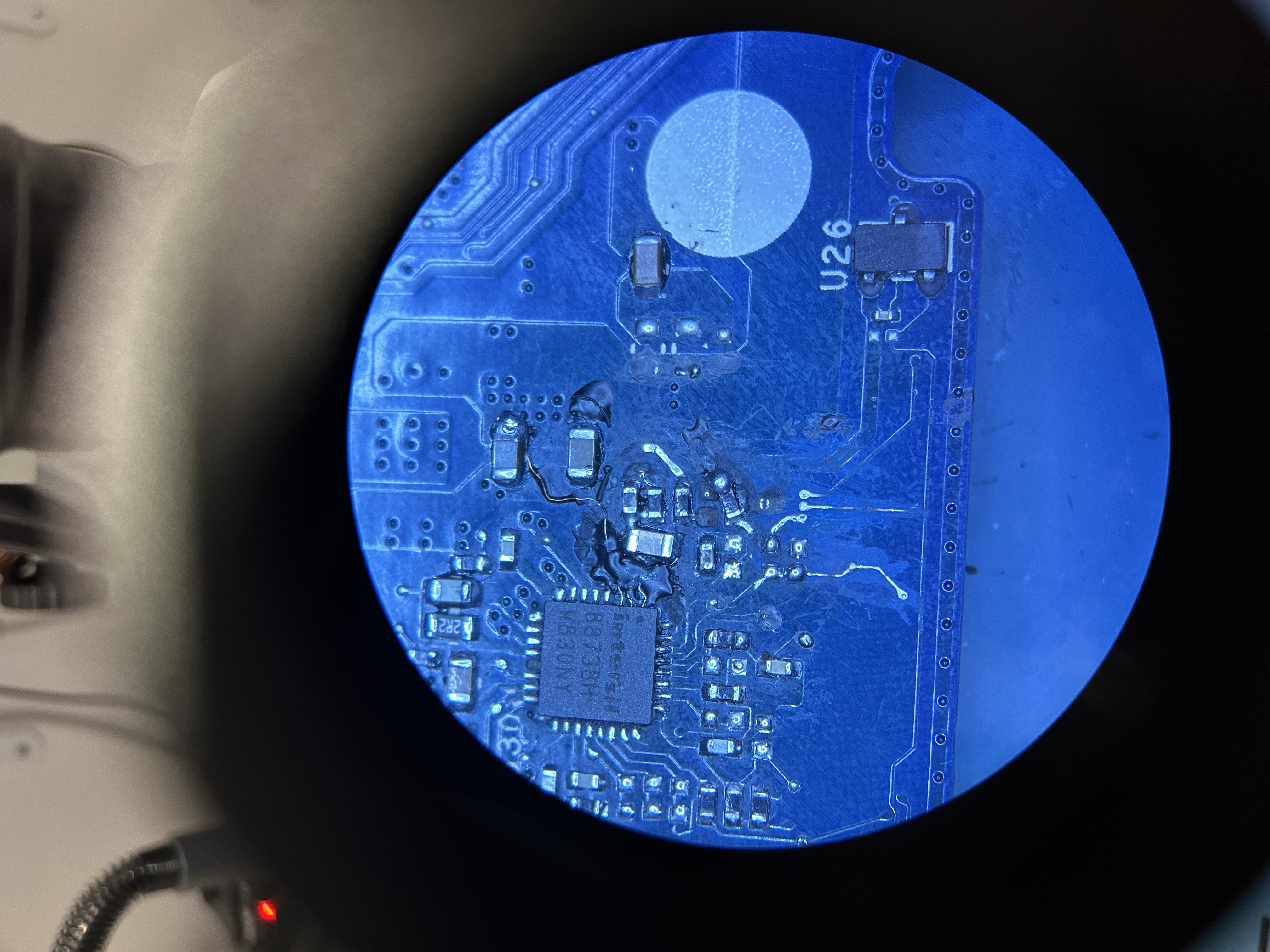
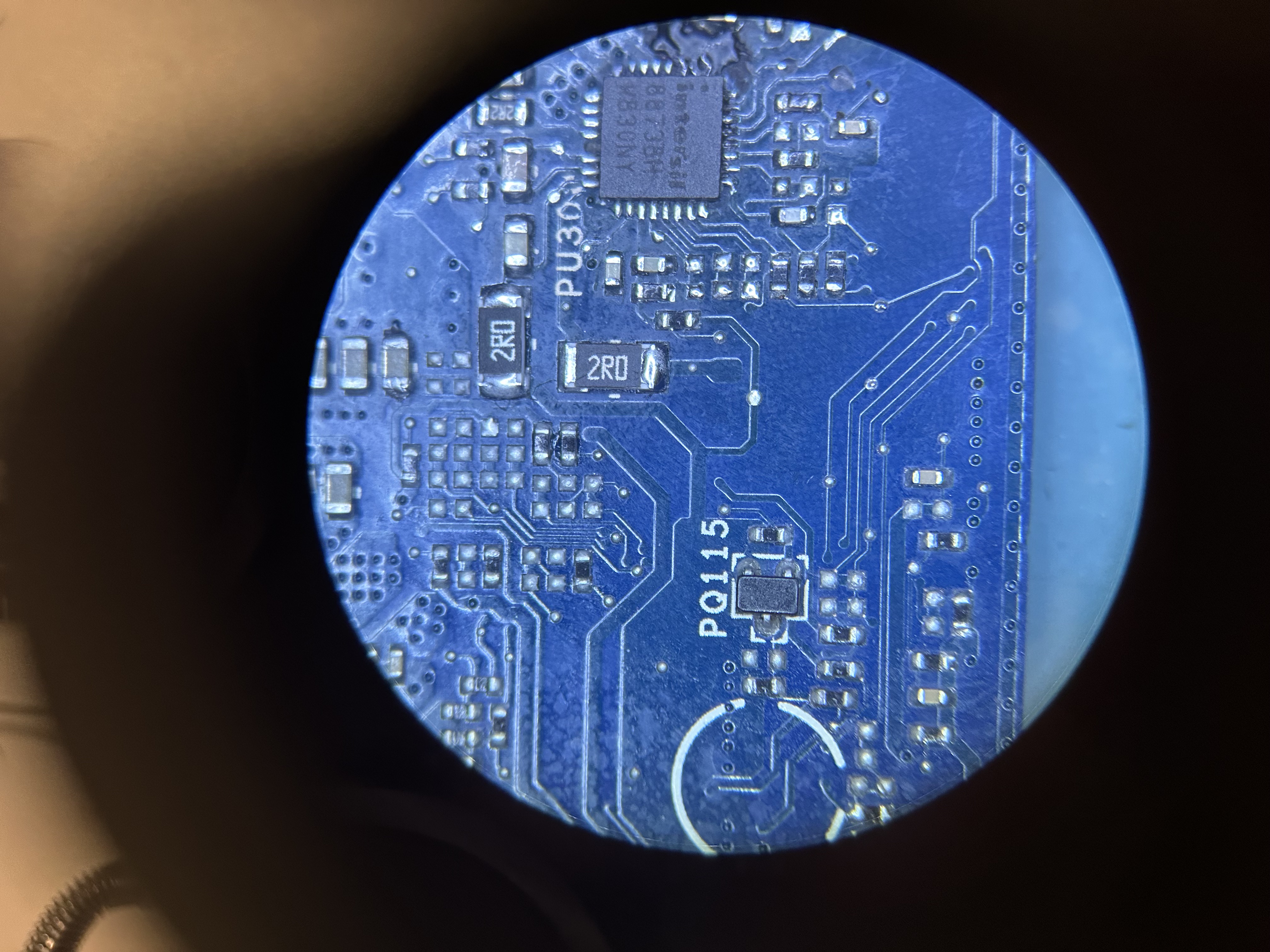
Measure the resistances between the listed points:
a) Between pin 1 and pin 2 of chip PU300.
b) Between pin 1 of chip PU300 and pin 1 of transistor PQ304.
c) Between pin 2 of chip PU300 and pin 4 of transistor PQ307.
d) Between pin 3 of chip PU300 and pin 4 of transistor PQ307.
e) Between pin 5 of chip PU300 and pin 1 of transistor PQ307.
f) Between pin 6 and pin 10 of chip PU300.
g) Between pin 7 of chip PU300 and pin 8 of transistor PQ307.
h) Between pin 9 of chip PU300 and pin 8 of transistor PQ302.
i) Between pin 11 of chip PU300 and pin 1 of transistor PQ302.
j) Between pin 14 and pin 15 of chip PU300.
k) Between pin 15 of chip PU300 and pin 4 of transistor PQ302.
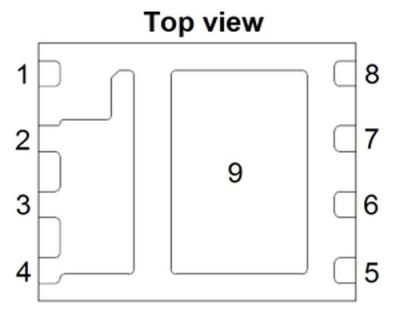
Transistors PQ302, PQ307 pinout:

a) Between pin 1 and pin 2 of chip PU300.
b) Between pin 1 of chip PU300 and pin 1 of transistor PQ304.
c) Between pin 2 of chip PU300 and pin 4 of transistor PQ307.
d) Between pin 3 of chip PU300 and pin 4 of transistor PQ307.
e) Between pin 5 of chip PU300 and pin 1 of transistor PQ307.
f) Between pin 6 and pin 10 of chip PU300.
g) Between pin 7 of chip PU300 and pin 8 of transistor PQ307.
h) Between pin 9 of chip PU300 and pin 8 of transistor PQ302.
i) Between pin 11 of chip PU300 and pin 1 of transistor PQ302.
j) Between pin 14 and pin 15 of chip PU300.
k) Between pin 15 of chip PU300 and pin 4 of transistor PQ302.
Transistors PQ302, PQ307 pinout:
#109 Re: Dell XPS 13 9370 CAZ60 LA-E671P zalany, brak ładowania
Napisal/-a matic • 7 Januar 2024, 13:17
The measurements seems fine.
It's most likely one of the following reasons:
- Badly soldered charger chip PU300. Make sure that all solder joints are fine. It's best to use a microscope or a magnifying glass with a high magnification (30-40x magnification). You can find it as "Jewellery identifying lupe", "Jewellery magnifying glass" or similar phrase:
- The charger chip is bad or it's a chinese fake. Try to buy another one from a different vendor, or best get one from some donor board.
- If everything is fine replace the transistors PQ302, PQ307.
It's most likely one of the following reasons:
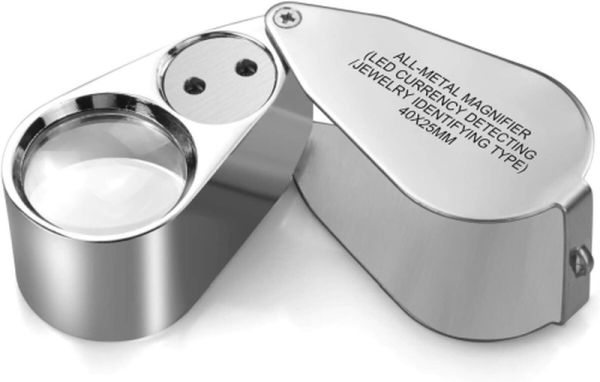
- Badly soldered charger chip PU300. Make sure that all solder joints are fine. It's best to use a microscope or a magnifying glass with a high magnification (30-40x magnification). You can find it as "Jewellery identifying lupe", "Jewellery magnifying glass" or similar phrase:
- The charger chip is bad or it's a chinese fake. Try to buy another one from a different vendor, or best get one from some donor board.
- If everything is fine replace the transistors PQ302, PQ307.
#110 Re: Dell XPS 13 9370 CAZ60 LA-E671P zalany, brak ładowania
Napisal/-a adysowski • 8 Marec 2024, 21:37
Okay, i gave up on that board, i got one for parts and one to repair cheap. Chip U21 and UZ5 were getting hot. I got this board from owner who claims that his USB-C charger killed this board. I replaced U21 and UZ5 from donor board, power lits up for a while (like 3-5 seconds) then resets and again and again. 1V, 1.05V, 5V, 3.3V are present. What should i look at?  Nothing is getting hot right now. Can RAM be damaged?
Nothing is getting hot right now. Can RAM be damaged? Re: Dell XPS 13 9370 CAZ60 LA-E671P zalany, brak ładowania
Napisal/-a Google Adsense [BOT] • 8 Marec 2024, 21:37
Ta tema je označena kot ARHIVSKA. Odgovorite samo, če vaše sporočilo vsebuje rešitev (Pravila in Pogoji, 12.1).
Kdo je na strani
Po forumu brska: 0 registriranih uporabnikov in 10 gostov
_______________________________Vse pravice pridržane. Nepooblaščeno kopiranje vsebine te spletne strani ali njenega dela je strogo prepovedano.
Vse blagovne znamke, izdelki ali storitve, objavljene na tej spletni strani, pripadajo njihovim zakonitim lastnikom, so avtorsko zaščitene in se uporabljajo samo v informativne namene.