
Правила форуму: Натисніть тут для перегляду правил форуму
- Назва теми має містити: виробника пристрою, повну модель та короткий опис проблеми.
- Пост має містити: код маркування друкованої плати (необхідний у разі ремонту обладнання), розширений опис проблеми, речі, які ви перевірили/замінили/виміряли, ваші висновки та запитання. Якщо ви не можете знайти код маркування друкованої плати, прочитайте ЦЮ ТЕМУ. Якщо ви все ще не можете знайти маркування друкованої плати, завантажте фотографії з високою роздільною здатністю обох сторін друкованої плати - необхідно видалити всі плівки, модулі або кронштейни, які можуть покривати ці позначки.
- Перш ніж публікувати нову тему, прочитайте всі теми підфоруму НАВЧАННІ і проведіте попередню діагностику на основі змісту цих тренінгів.
- Завантаження будь-яких повних схем, бордвю, файлів БІОС / прошивки або будь-якої іншої документації (або посилань на веб-сайти з такими файлами) СТРОГО ЗАБОРОНЕНО. Ви можете опублікувати лише невелику частину документації або посилання на файл БІОС на підфорумі НЕПЕРЕВІРЕНІ ФАЙЛИ БІОС що спростити діагностику або ремонт. Вам не дозволяється публікувати більше однієї повної сторінки інструкції/схеми на одну тему. Файл, який ви публікуєте, не повинен містити водяних знаків, «конфіденційних» тегів, посилань чи адрес електронної пошти та не може бути захищений паролем.
- Дозволено описувати лише один несправний пристрій у одній темі - ви завжди повинні відкривати нову тему для кожного наступного пристрою.
- Запит повних схем, бордвю, файлів БІОС або будь-якої іншої документації ЗАБОРОНЕНО на цьому підфорумі. Якщо вам потрібно попросити щось із цього, вам слід відкрити нову тему в підфорумі ЗАПИТ НА ДОКУМЕНТАЦІЮ ТА БІОС.
Ця тема позначена як АРХІВНИЙ. Відповідайте лише в тому випадку, якщо ваша відповідь містить рішення проблеми (Правила Форуму, п. 12.1).


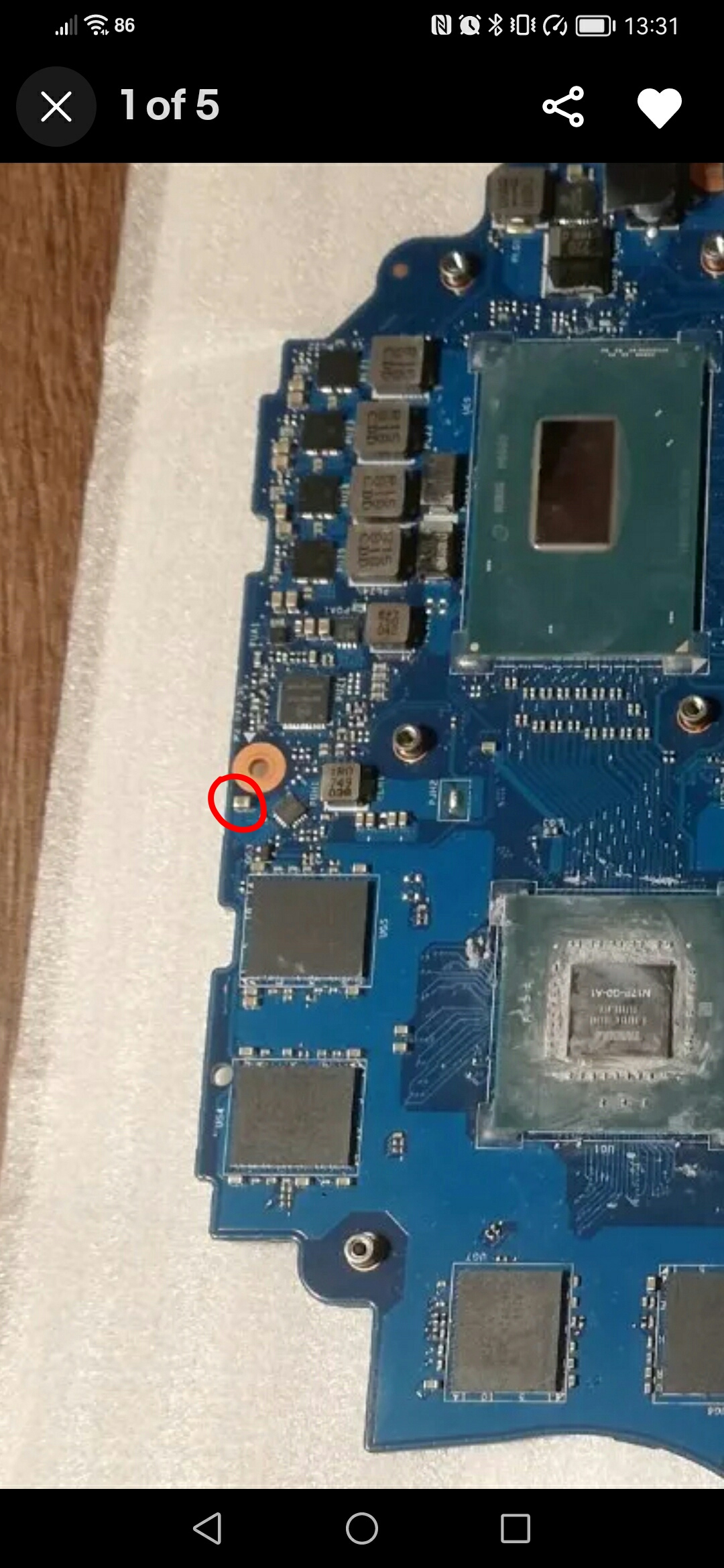
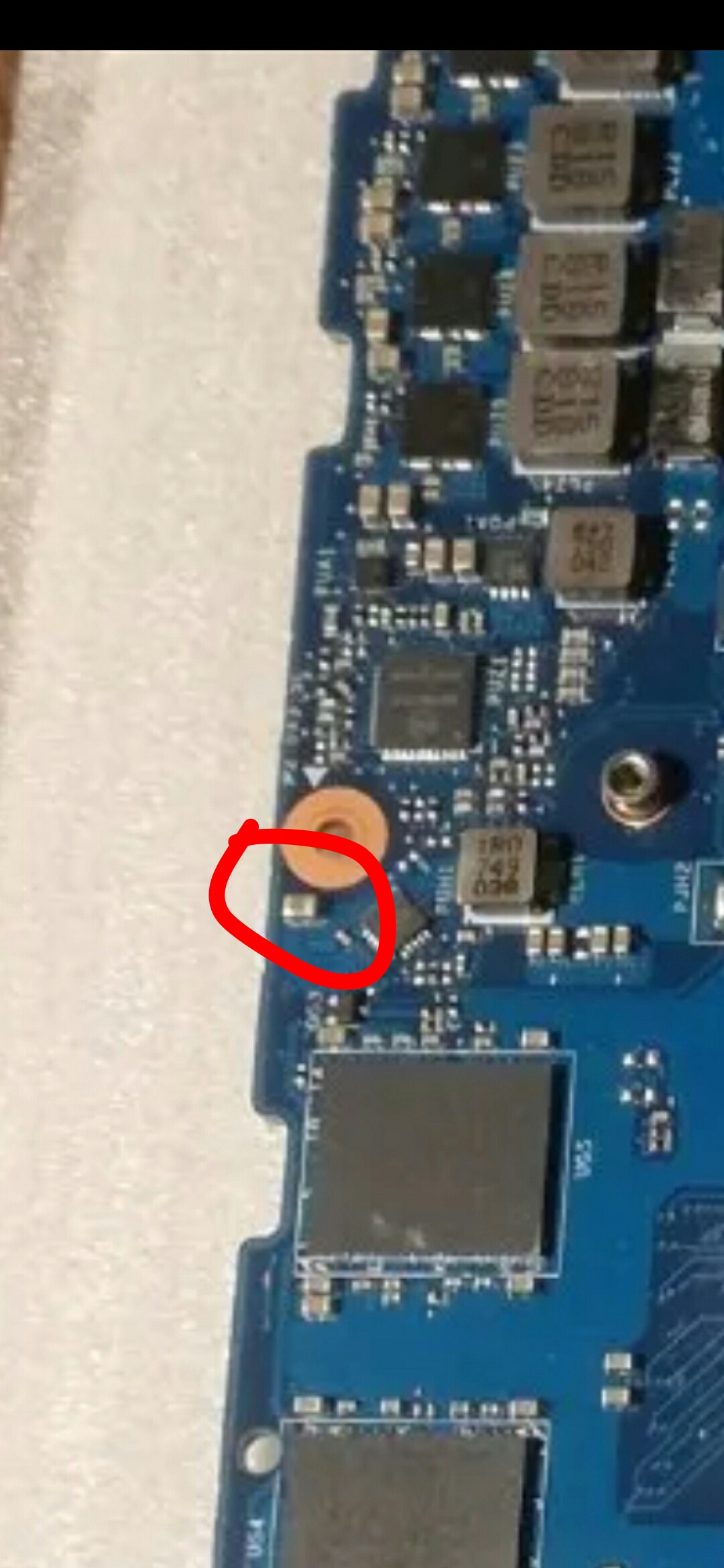

Re: HP 15-CX gaming - dpf50 la-f841p - REPAIR HELP -
Google Adsense [BOT] • 16 Жовтня 2022, 14:00


#2 Re: HP 15-CX gaming - dpf50 la-f841p - component identification
Vogelek23 • 16 Жовтня 2022, 16:22
ELVIKOM LAB Ltd - Apple Repairs & PCB Design - Free Quotes! https://www.elvikom.co.uk
Jeśli skorzystałeś z mojej pomocy na Forum, możesz w ramach podziękowania wspomóc jego rozwój. Kliknij tutaj, aby dowiedzieć się więcej.
Jeśli skorzystałeś z mojej pomocy na Forum, możesz w ramach podziękowania wspomóc jego rozwój. Kliknij tutaj, aby dowiedzieć się więcej.
#4 Re: HP 15-CX gaming - dpf50 la-f841p - component identification
Vogelek23 • 16 Жовтня 2022, 19:23
ELVIKOM LAB Ltd - Apple Repairs & PCB Design - Free Quotes! https://www.elvikom.co.uk
Jeśli skorzystałeś z mojej pomocy na Forum, możesz w ramach podziękowania wspomóc jego rozwój. Kliknij tutaj, aby dowiedzieć się więcej.
Jeśli skorzystałeś z mojej pomocy na Forum, możesz w ramach podziękowania wspomóc jego rozwój. Kliknij tutaj, aby dowiedzieć się więcej.
#6 Re: HP 15-CX gaming - dpf50 la-f841p - component identification
Vogelek23 • 16 Жовтня 2022, 21:21
ELVIKOM LAB Ltd - Apple Repairs & PCB Design - Free Quotes! https://www.elvikom.co.uk
Jeśli skorzystałeś z mojej pomocy na Forum, możesz w ramach podziękowania wspomóc jego rozwój. Kliknij tutaj, aby dowiedzieć się więcej.
Jeśli skorzystałeś z mojej pomocy na Forum, możesz w ramach podziękowania wspomóc jego rozwój. Kliknij tutaj, aby dowiedzieć się więcej.
Hello,
Chip replaced today but still not working.
With the battery connected, white power light next to charge port is lit, get fan spin but then turns off before showing white light again.
With the battery connected, no light on power LED turns on, fan spin but then turns back off.
Got videos:
Without battery
https://youtu.be/hl6Uoewpgag
With battery
https://youtu.be/tnR4LQsZ9ys
Any ideas? Thanks
Chip replaced today but still not working.
With the battery connected, white power light next to charge port is lit, get fan spin but then turns off before showing white light again.
With the battery connected, no light on power LED turns on, fan spin but then turns back off.
Got videos:
Without battery
https://youtu.be/hl6Uoewpgag
With battery
https://youtu.be/tnR4LQsZ9ys
Any ideas? Thanks
#9 Re: HP 15-CX gaming - dpf50 la-f841p - component identification
Vogelek23 • 19 Жовтня 2022, 10:06
ELVIKOM LAB Ltd - Apple Repairs & PCB Design - Free Quotes! https://www.elvikom.co.uk
Jeśli skorzystałeś z mojej pomocy na Forum, możesz w ramach podziękowania wspomóc jego rozwój. Kliknij tutaj, aby dowiedzieć się więcej.
Jeśli skorzystałeś z mojej pomocy na Forum, możesz w ramach podziękowania wspomóc jego rozwój. Kliknij tutaj, aby dowiedzieć się więcej.
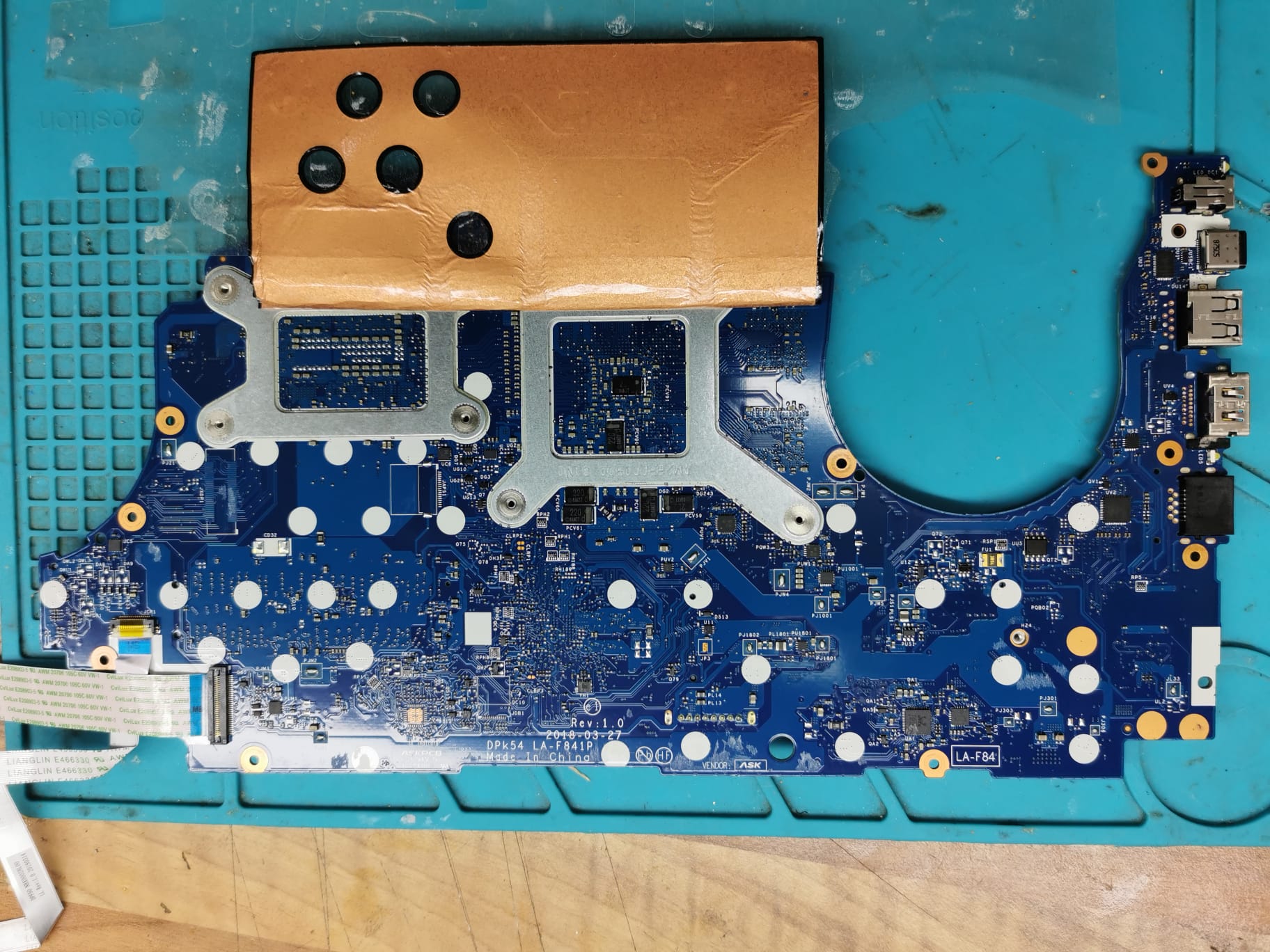
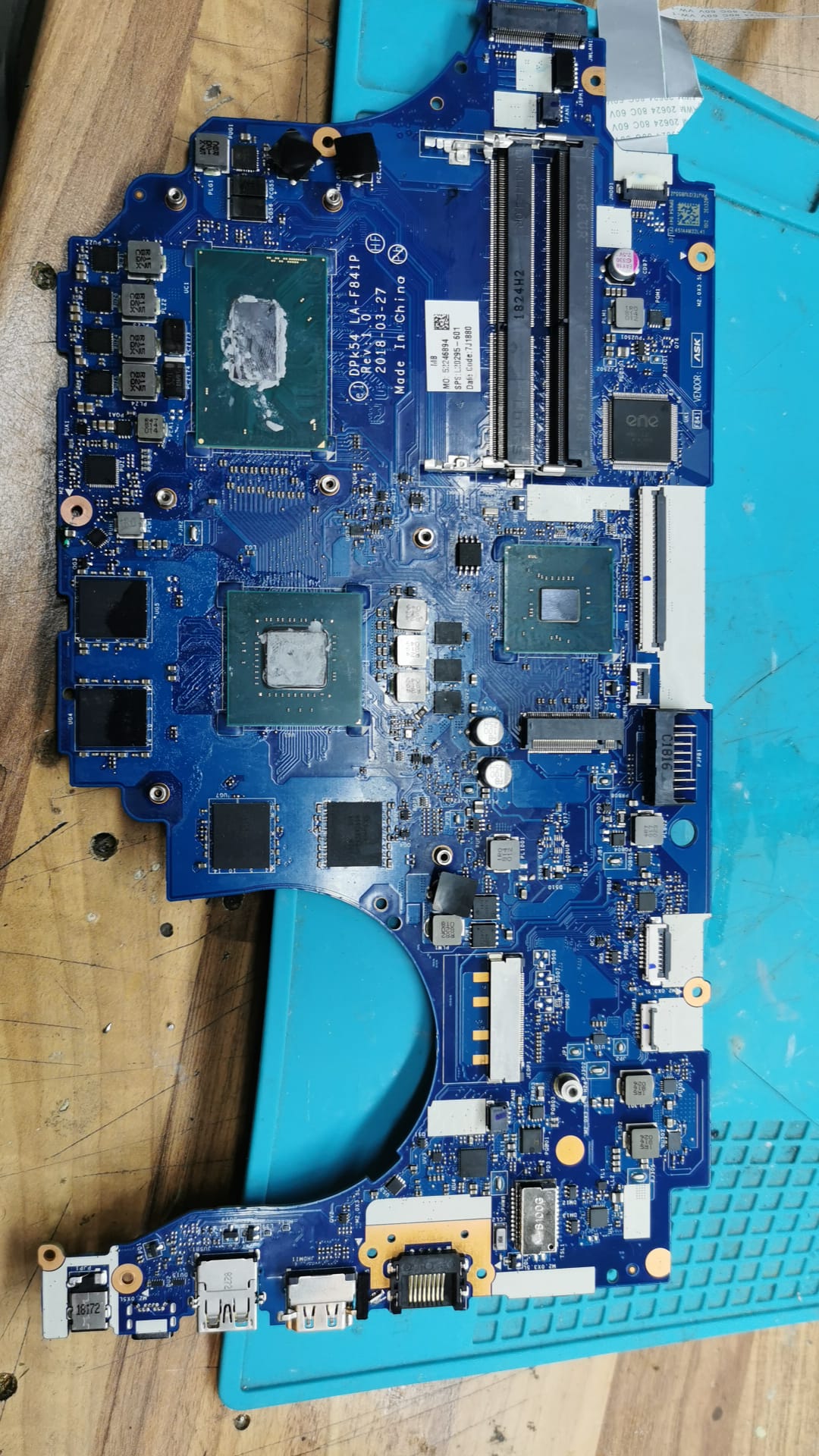
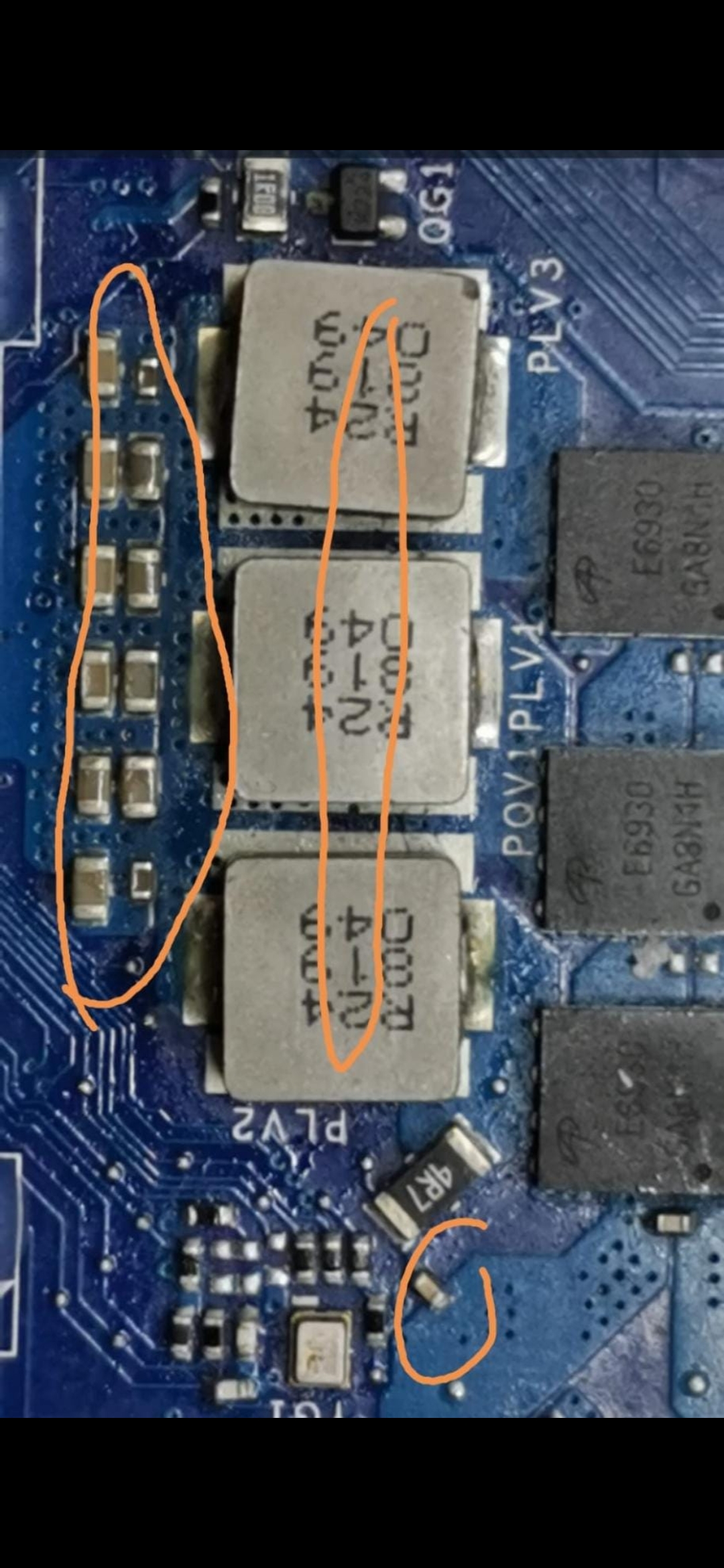
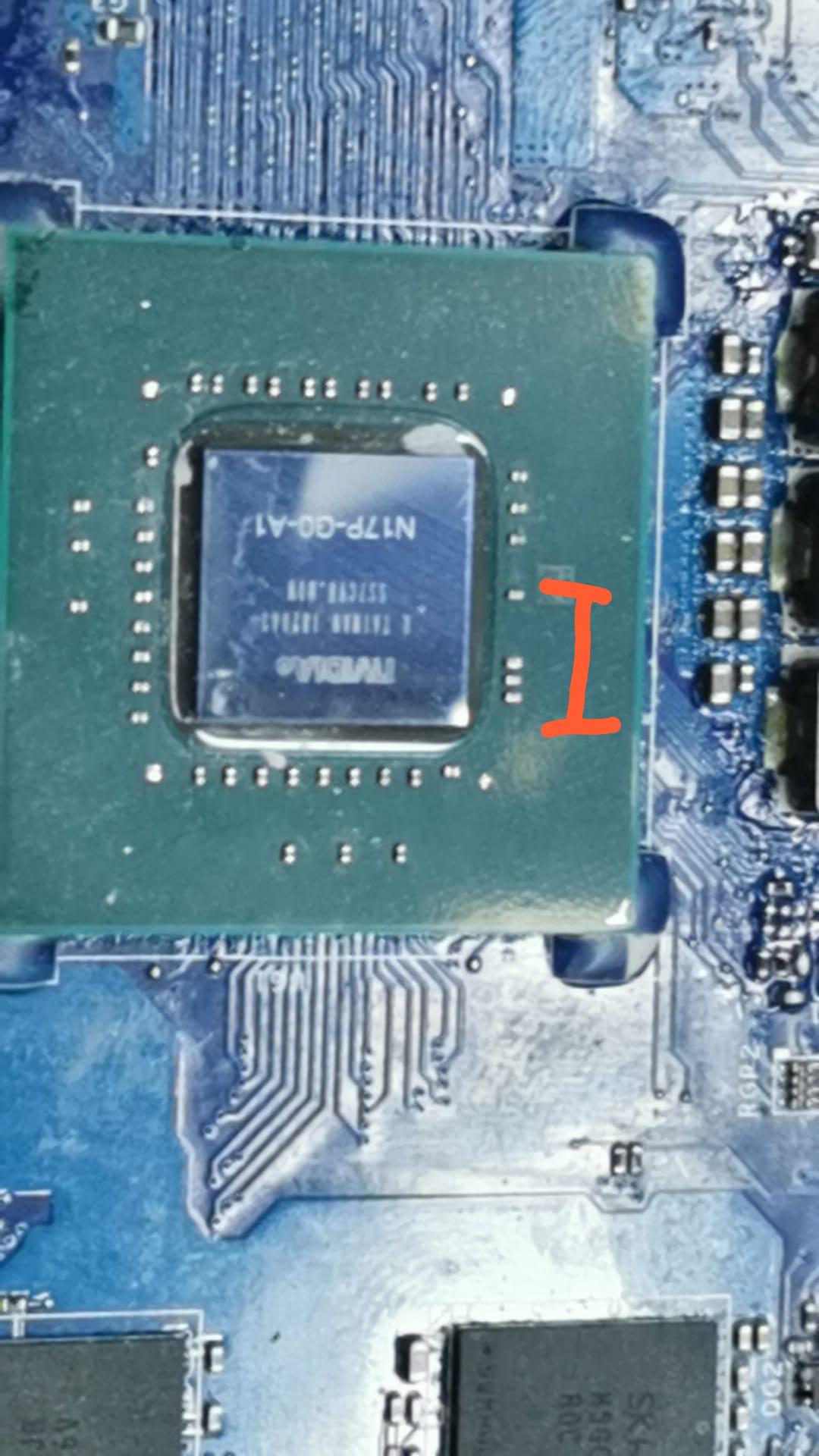
Smeders написав:I've checked around the board and the components below are showing a short.It is normal - GTX 1050 graphics chip has very low (below 1Ω) resistance to ground.
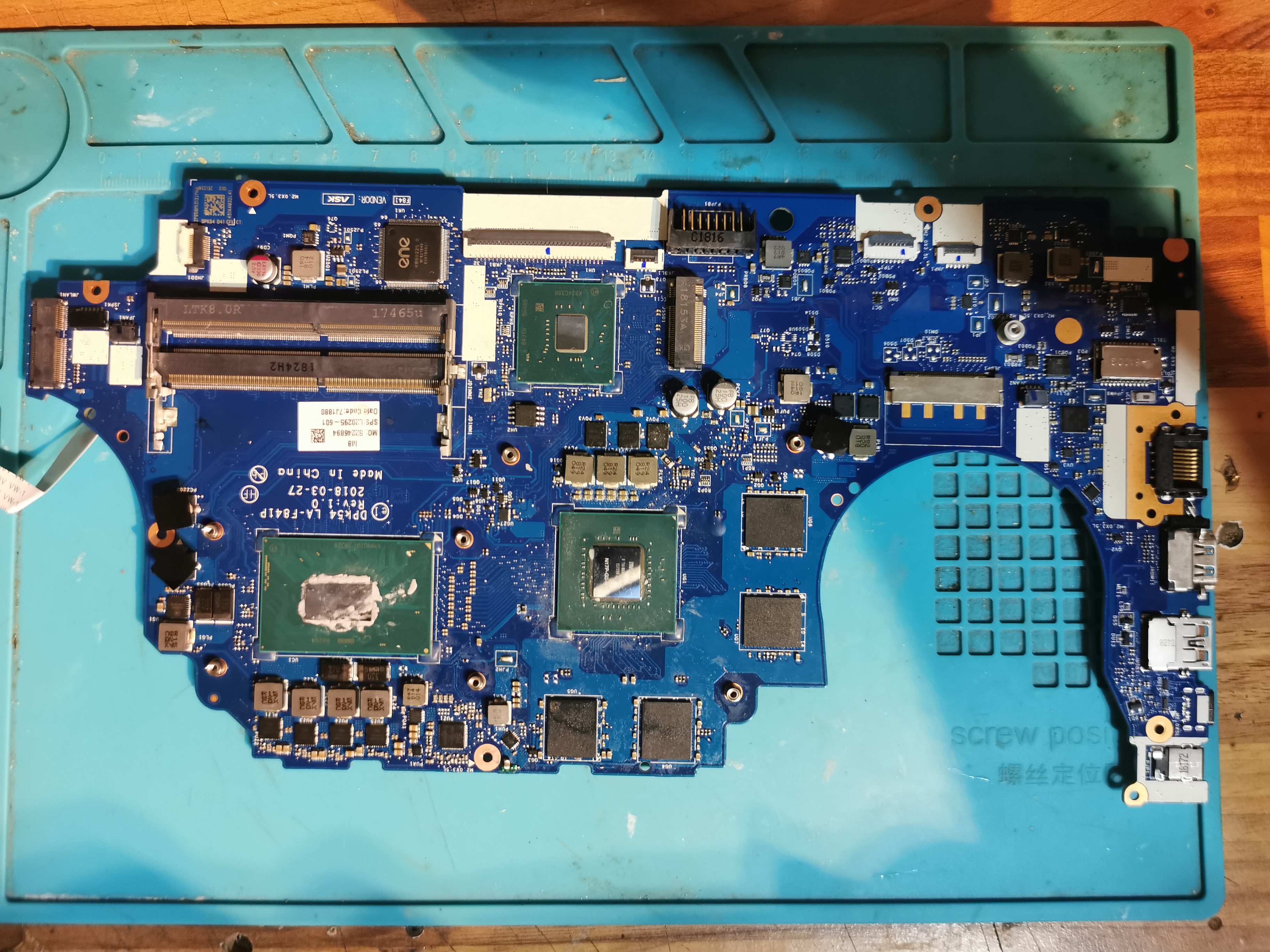
Smeders написав:Bottom of board:Sorry, but these photos are not clear, sharp or of the high resolution. I won't see anything on such photos.
Top side:
Try a new BIOS (do not forget to read and save the original one before).
ELVIKOM LAB Ltd - Apple Repairs & PCB Design - Free Quotes! https://www.elvikom.co.uk
Jeśli skorzystałeś z mojej pomocy na Forum, możesz w ramach podziękowania wspomóc jego rozwój. Kliknij tutaj, aby dowiedzieć się więcej.
Jeśli skorzystałeś z mojej pomocy na Forum, możesz w ramach podziękowania wspomóc jego rozwój. Kliknij tutaj, aby dowiedzieć się więcej.
Laptop does not boot or display as per videos so cannot do bios.
Will only power on with fan spin for 5 seconds and then power off.
Charging light is white without battery fitted and no light with battery fitted.
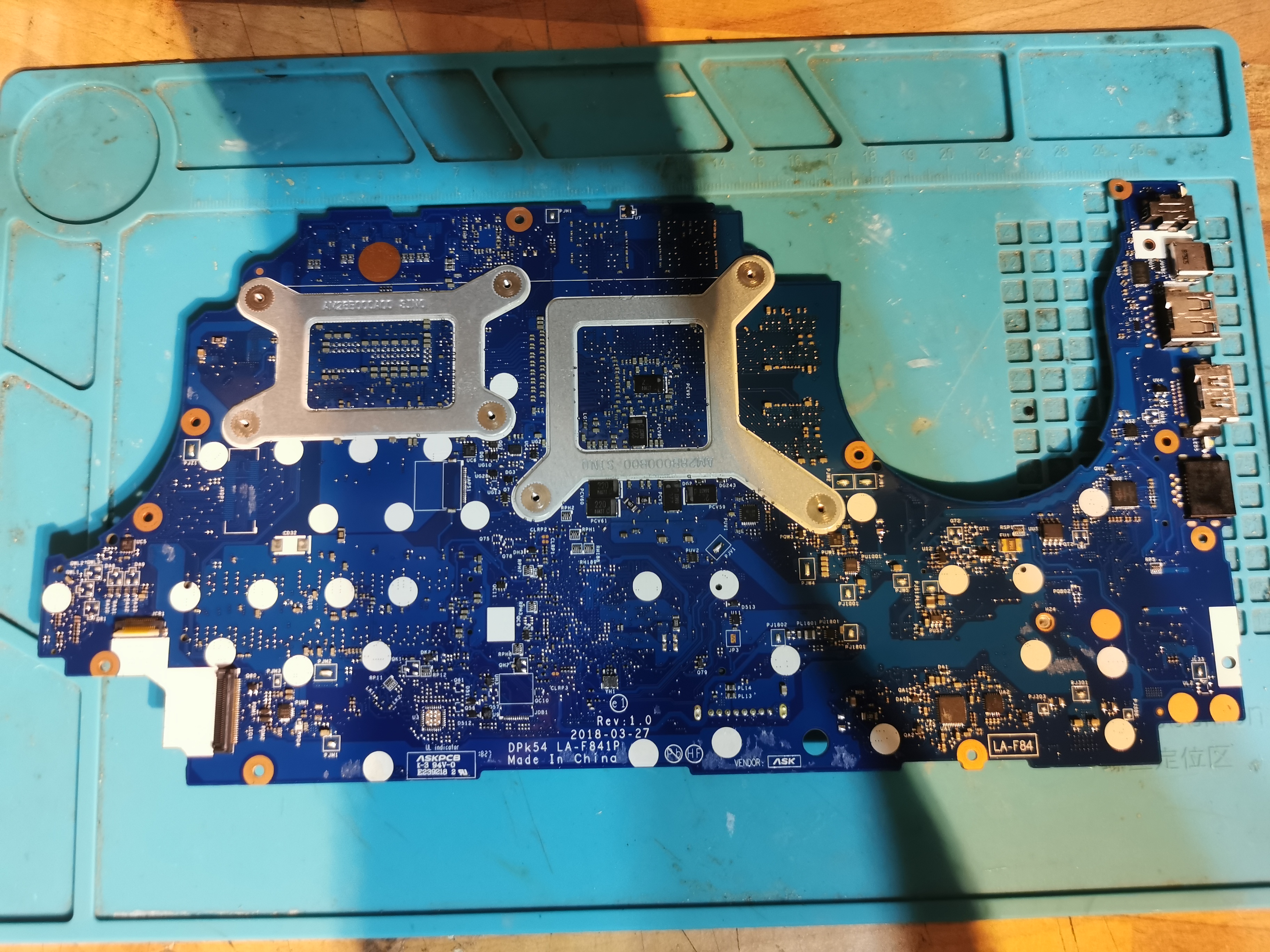
All chips are fine ok board apart from the ones highlighted which are shorted. Can take some more photos later of board but short is localised to centre of the board
Will only power on with fan spin for 5 seconds and then power off.
Charging light is white without battery fitted and no light with battery fitted.
All chips are fine ok board apart from the ones highlighted which are shorted. Can take some more photos later of board but short is localised to centre of the board
ELVIKOM LAB Ltd - Apple Repairs & PCB Design - Free Quotes! https://www.elvikom.co.uk
Jeśli skorzystałeś z mojej pomocy na Forum, możesz w ramach podziękowania wspomóc jego rozwój. Kliknij tutaj, aby dowiedzieć się więcej.
Jeśli skorzystałeś z mojej pomocy na Forum, możesz w ramach podziękowania wspomóc jego rozwój. Kliknij tutaj, aby dowiedzieć się więcej.
ELVIKOM LAB Ltd - Apple Repairs & PCB Design - Free Quotes! https://www.elvikom.co.uk
Jeśli skorzystałeś z mojej pomocy na Forum, możesz w ramach podziękowania wspomóc jego rozwój. Kliknij tutaj, aby dowiedzieć się więcej.
Jeśli skorzystałeś z mojej pomocy na Forum, możesz w ramach podziękowania wspomóc jego rozwój. Kliknij tutaj, aby dowiedzieć się więcej.
ELVIKOM LAB Ltd - Apple Repairs & PCB Design - Free Quotes! https://www.elvikom.co.uk
Jeśli skorzystałeś z mojej pomocy na Forum, możesz w ramach podziękowania wspomóc jego rozwój. Kliknij tutaj, aby dowiedzieć się więcej.
Jeśli skorzystałeś z mojej pomocy na Forum, możesz w ramach podziękowania wspomóc jego rozwój. Kliknij tutaj, aby dowiedzieć się więcej.
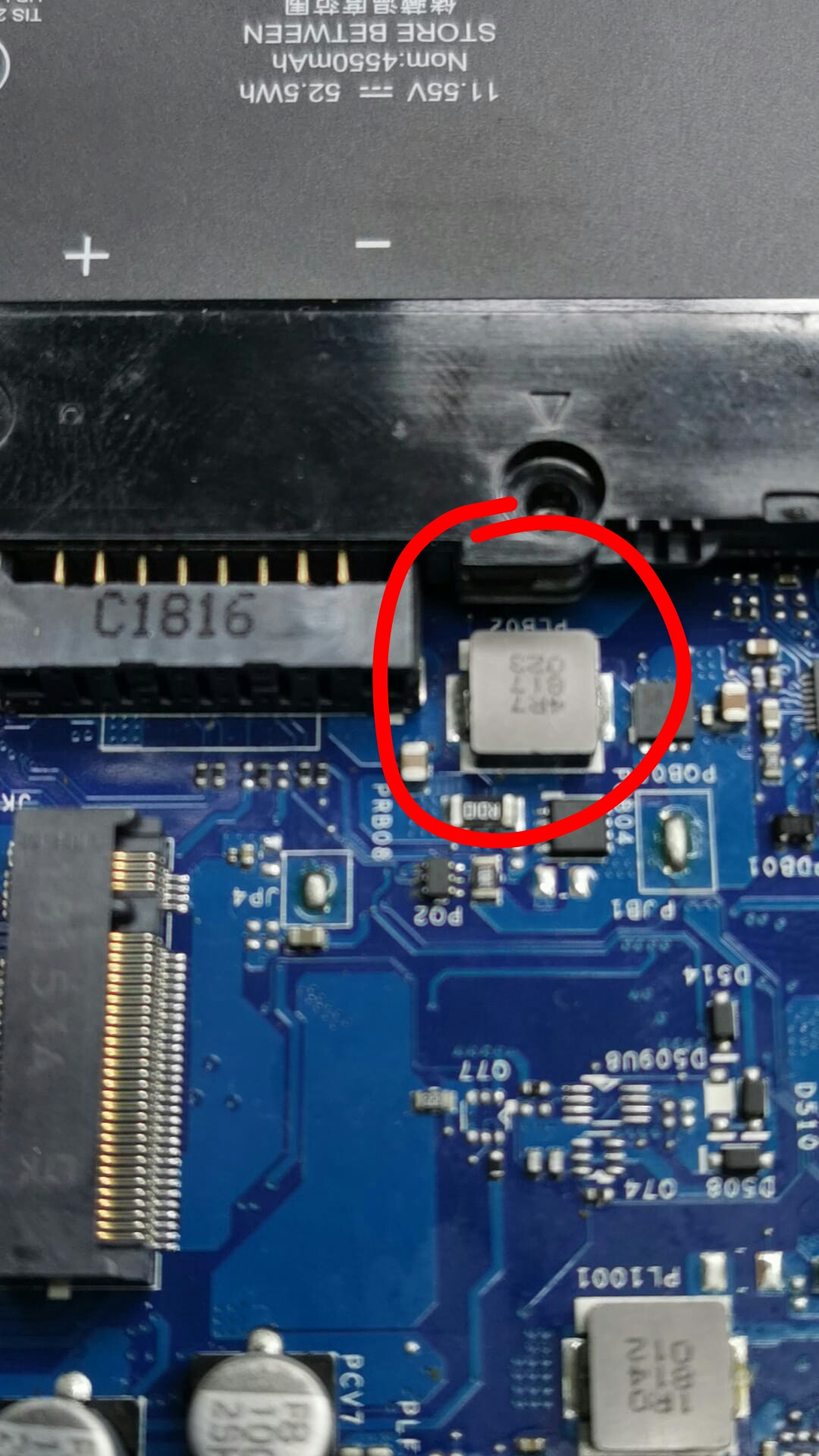
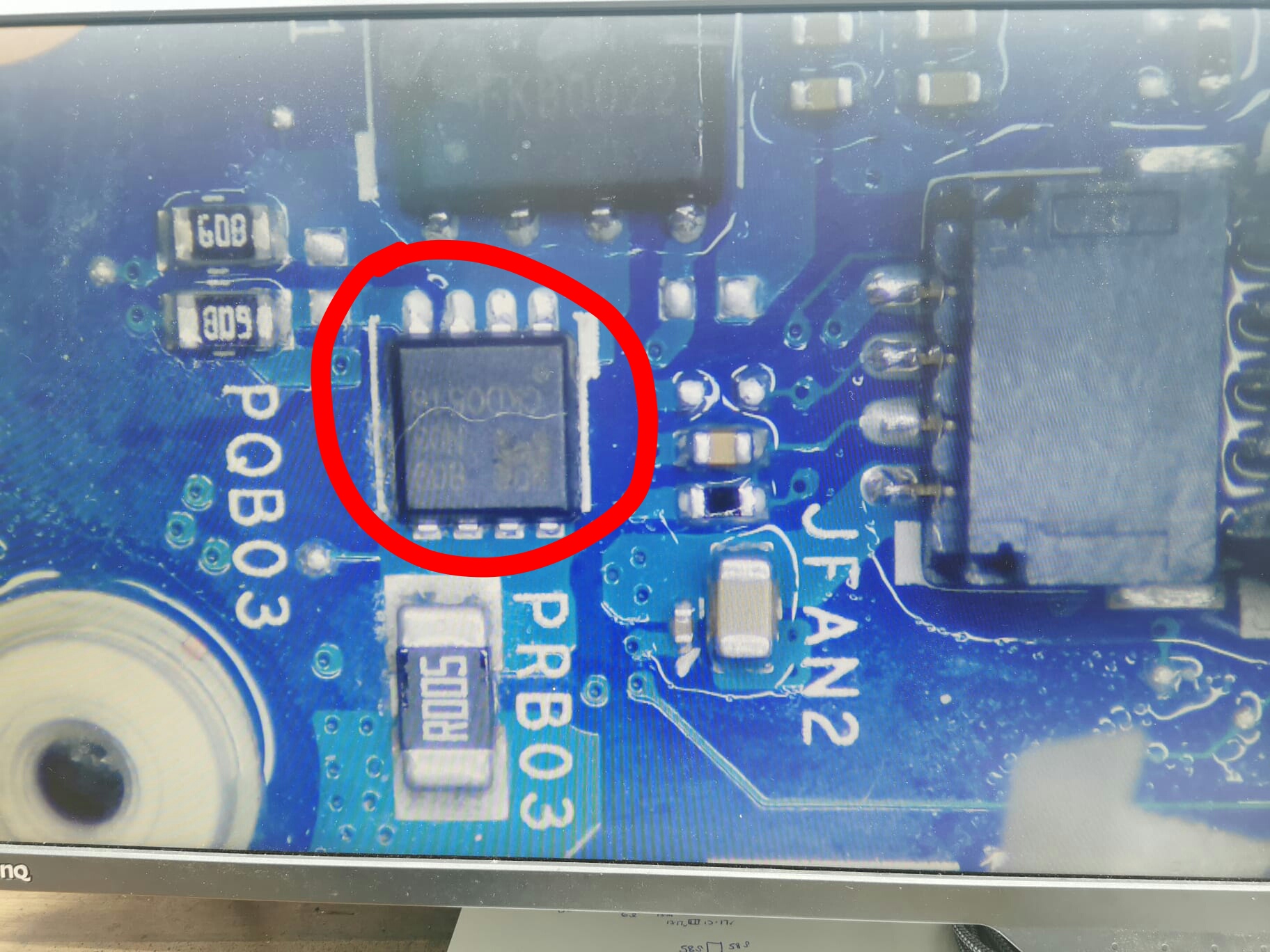
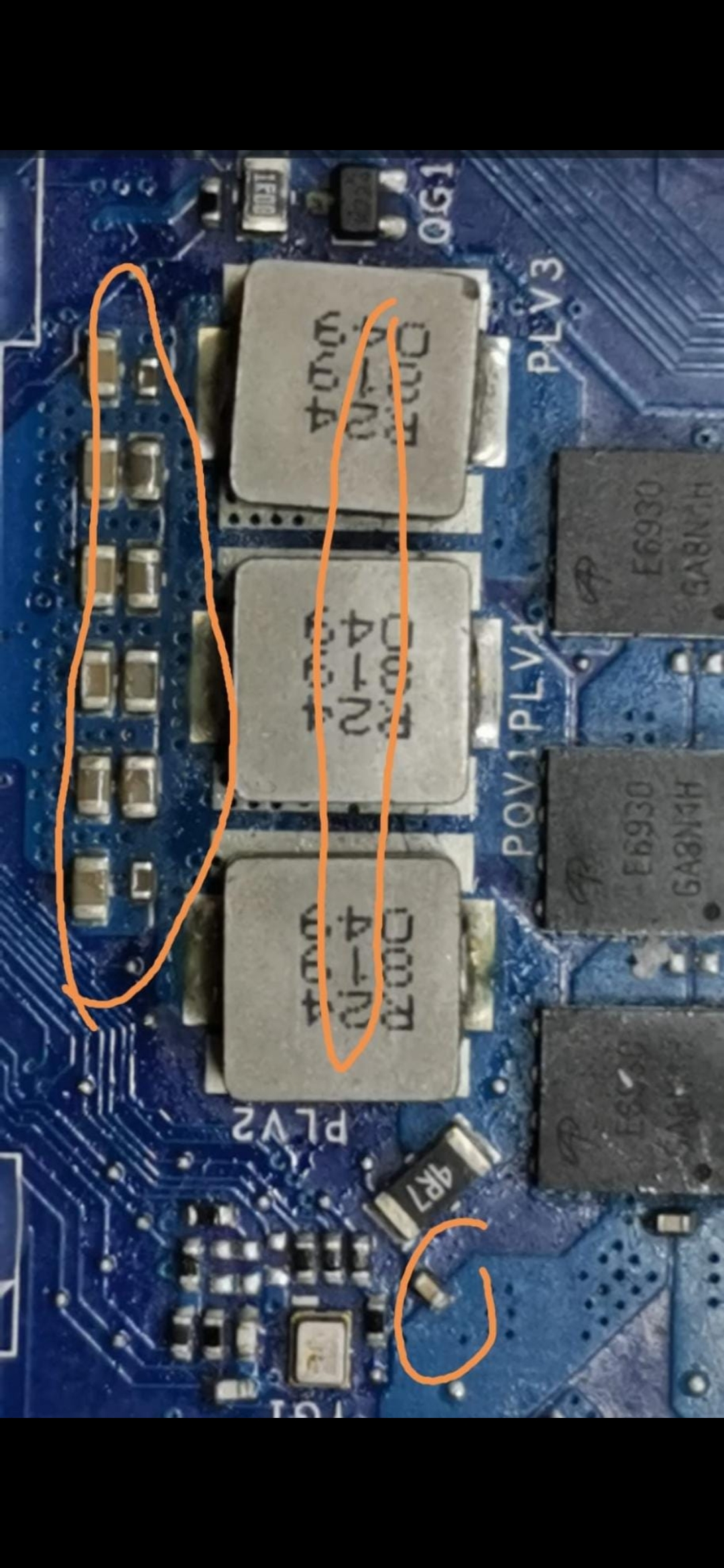
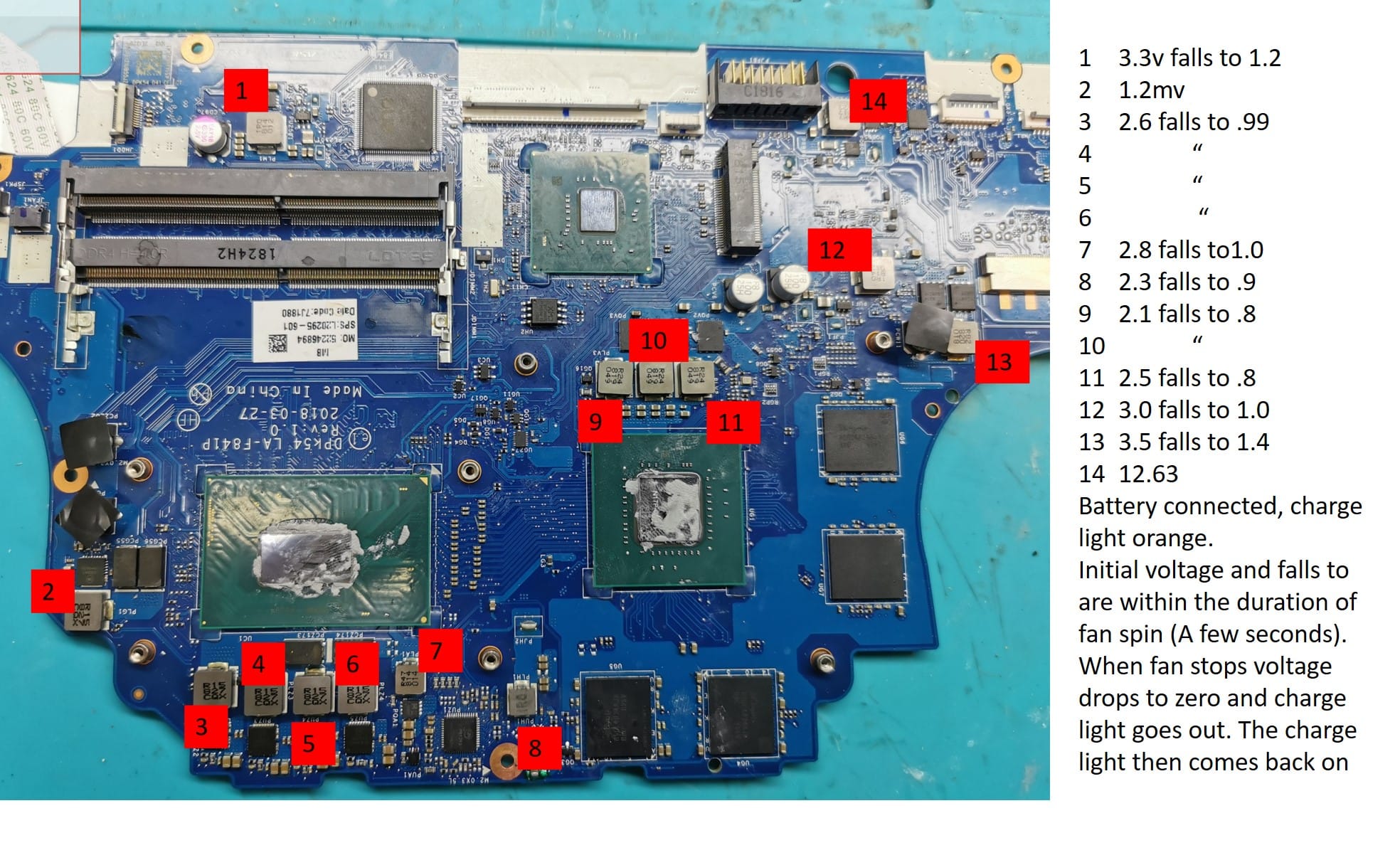
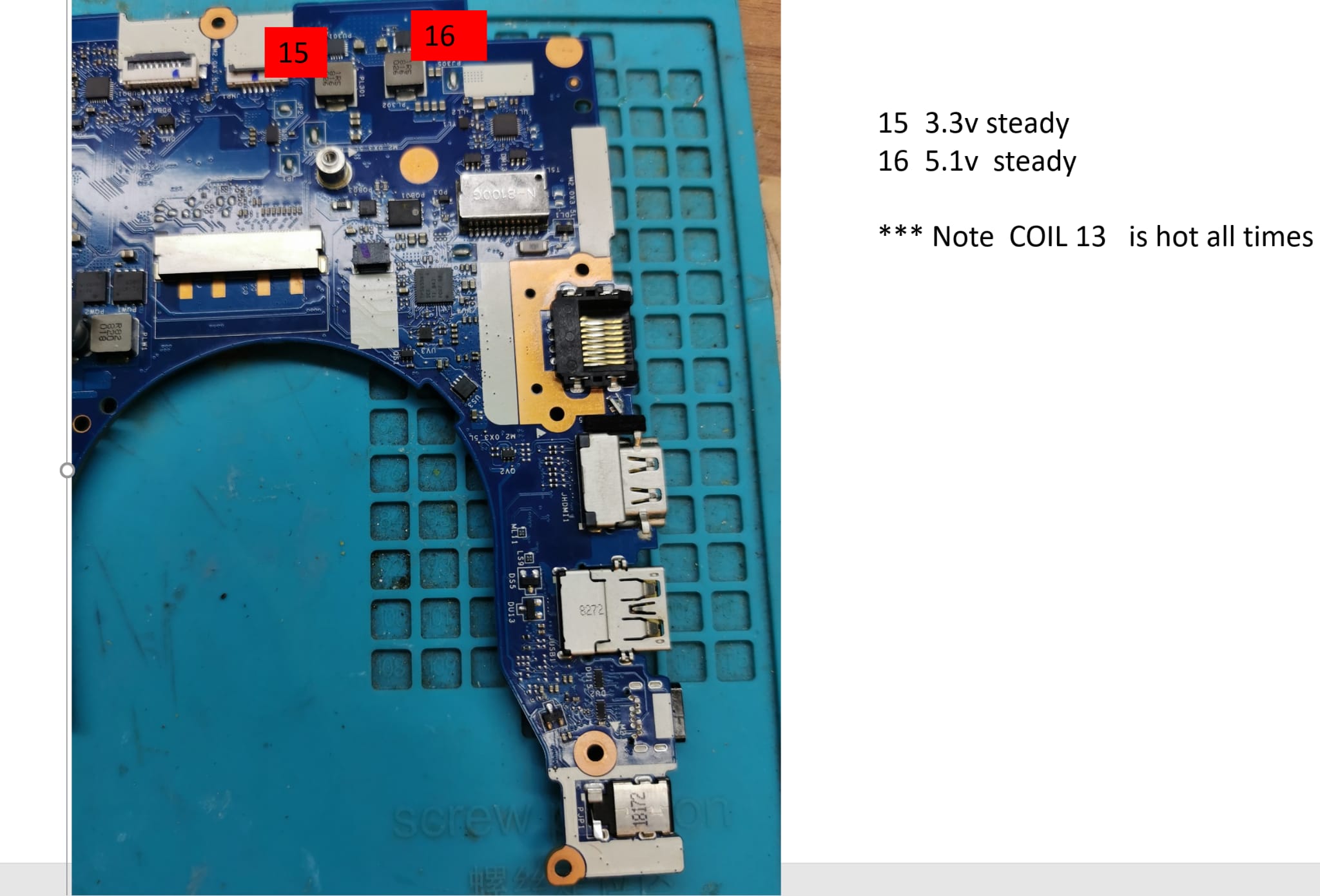
Smeders написав:Only coil showing a voltage reading is below - showing 13.3VImpossible - when the fans spin up, S5 and S3 voltages must be active at least. Remeasure the voltage on all coils. Also, read the current consumption before and after switching the MLB on. Pay attention to all changes to the current.
ELVIKOM LAB Ltd - Apple Repairs & PCB Design - Free Quotes! https://www.elvikom.co.uk
Jeśli skorzystałeś z mojej pomocy na Forum, możesz w ramach podziękowania wspomóc jego rozwój. Kliknij tutaj, aby dowiedzieć się więcej.
Jeśli skorzystałeś z mojej pomocy na Forum, możesz w ramach podziękowania wspomóc jego rozwój. Kliknij tutaj, aby dowiedzieć się więcej.
Re: HP 15-CX gaming - dpf50 la-f841p - REPAIR HELP -
Google Adsense [BOT] • 25 Жовтня 2022, 11:05
Ця тема позначена як АРХІВНИЙ. Відповідайте лише в тому випадку, якщо ваша відповідь містить рішення проблеми (Правила Форуму, п. 12.1).
Хто зараз онлайн
Зараз переглядають цей форум: Немає зареєстрованих користувачів і 8 гостей
_______________________________Всі права захищені. Заборонено копіювати будь-який вміст та елементи веб-сайту без дозволу.
Усі торгові марки, назви брендів, продукти чи послуги, опубліковані на цьому веб-сайті, належать їхнім законним власникам і використовувались лише в інформаційних цілях.